SALE! from € 249,95 for € 139,95 incl. VAT
In addition to sending photos and videos with the free app, now also video calling.
A digital photo and video frame with a 10-inch screen, Wi-Fi and mobile network connection. Now also with video calling and a free app.
Also portable use thanks to internal battery. With docking station for wireless automatic charging, 10-inch IPS Hi-Res LCD.
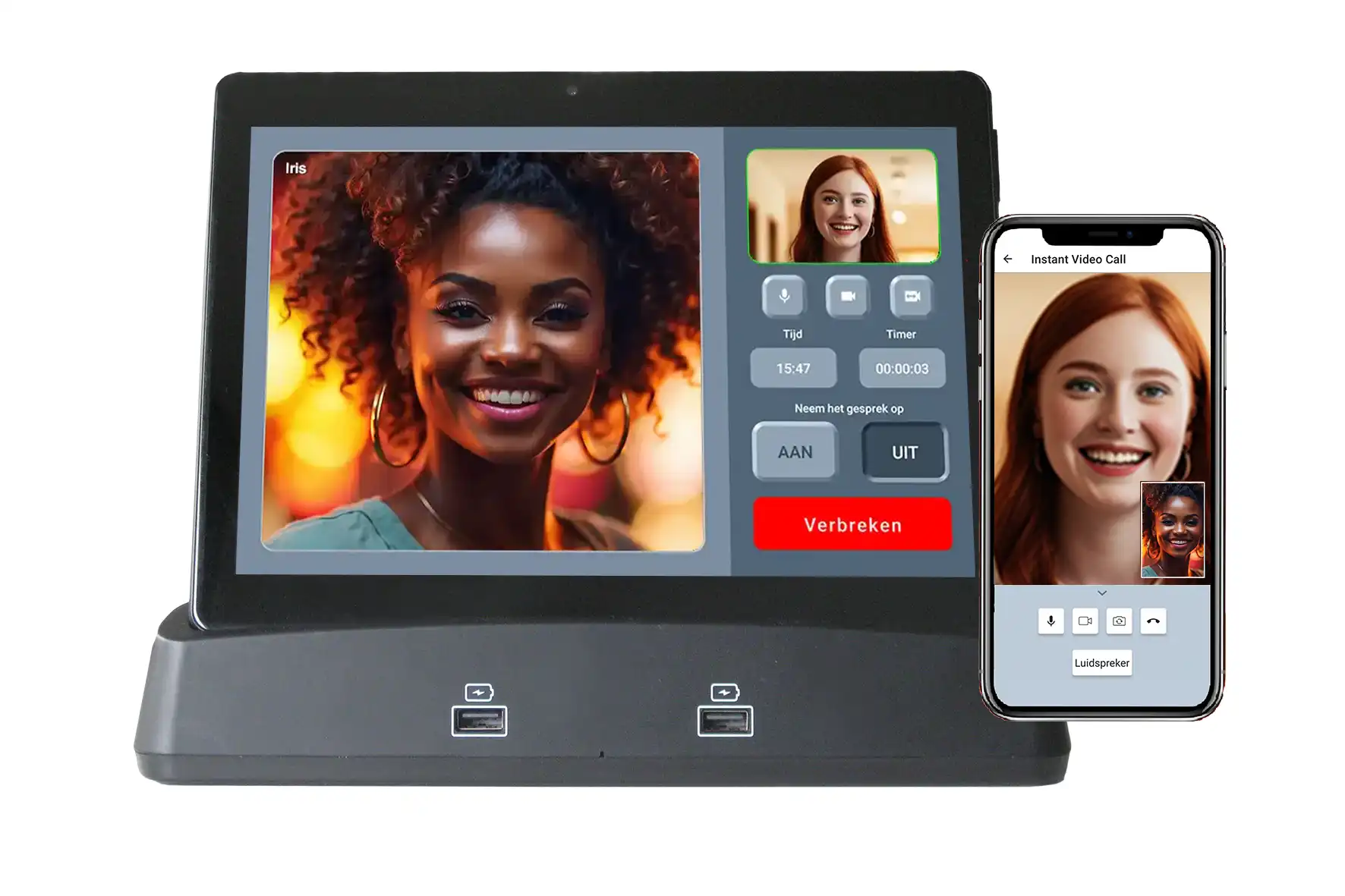
Video call with this Digital Photo Frame and the free App
Starting a video call or phone call with a contact or a group is simple, and you can also be called by your contacts using the App. A notification alerts you when you have missed incoming video or audio calls.
Starting a chat session with a Contact or a Group is just as simple. A notification alerts you when you have received new text messages.
As an interesting extra feature, you can select a single contact to video call directly using an extra button on the home page.
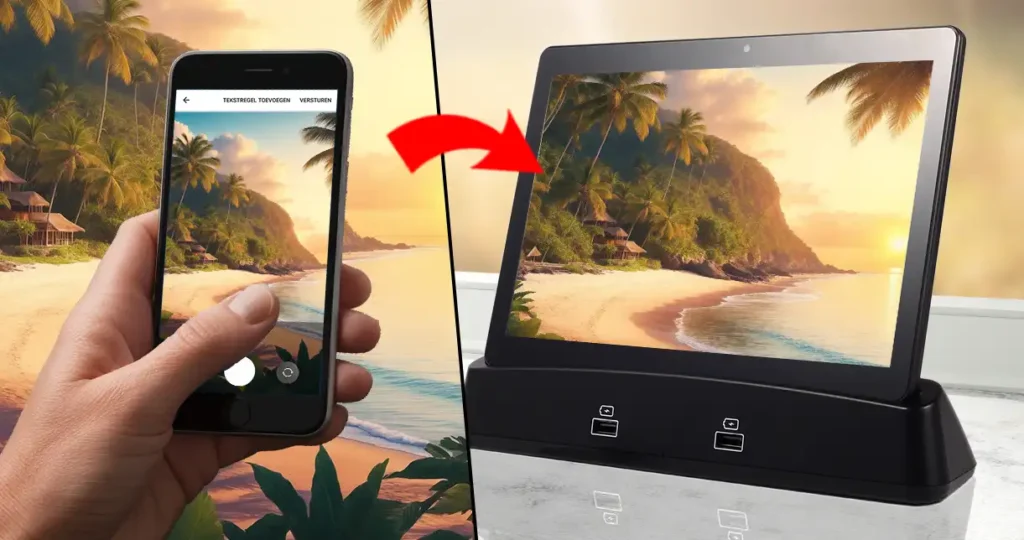
Share your photos and videos with family and friends, wherever you are. Send your photos and videos from your smartphone to the Wi-Fi Digital Photo Frame using the free app.
10″ Digital Photo Frame, with Wi-Fi, SIM and Bluetooth.
The digital photo frame can be connected to the internet via your own home Wi-Fi network, but also via a mobile network using a SIM card. With the free downloadable app, you or your family and friends can send photos and videos to the digital photo frame from a smartphone. The received photos and videos are then automatically displayed and sorted by the sender’s name.
Slideshow & Playlist
Slideshows and Playlists: Many extra features for photo and video editing.
All received photos and videos are automatically pre-sorted and displayed in a Slideshow from each sender. You can create new Slideshows yourself from your favorite photos and videos received from everyone, and then share them with your family and friends.
You can invite all family members and all your friends and acquaintances. With the free App, they can send photos and videos to you, no matter where in the world they are. You can also video call and chat with them within the App.
Contacts List and Groups, Address Book.
All contacts can be displayed with a photo in the contacts list. Additional details for each contact can be recorded in the address book, such as the contact’s birthday. Contacts can be organized into a group so that photos and videos can be shared with this group, and video calling with the group is also possible.
Docking Station
The Prifora Digital Photo Frame can be connected to the speakers in the Docking Station via Bluetooth. This allows the sound of received videos, music, and calls to be played louder through this speaker.
Two additional smartphones or tablets can be charged using the 2 USB ports on the Docking Station.
Safe and protected
IMPORTANT: Your data and files are safe and protected.
Sent messages, photos, videos, etc. remain within the network and are accessible only to the user of the digital photo frame and guests connected via the mobile app. Personal and usage data is not shared or sold.
Extra Functies
In addition to free use, the digital photo frame offers extra features and capabilities with a subscription. Subscriptions start at just 5.95 per month.
These include functions such as Agenda and Calendar, Clock and Alarm, Weather and Weather Forecast, Remote Control, PC Control, Third-party Control, etc.
See below for the various extra features.
The Slideshow features offer the following capabilities:
Automatic creation of individual playlists by your contacts’ names
Share playlists with contacts
Manage playlist
Create new playlist
Delete playlist
Playlist Menu
Play multiple playlists in a slideshow
Play photos and videos simultaneously in a slideshow
View photos and videos individually
Hide photos and videos (not show, but keep)
Delete photos and videos
Copy photos and videos
Favorite photos and videos
Play slideshow of only favorites
Start slideshow
Slideshow Settings
Slide transition effects
Slide view adjustments
Slide transition times
Slide random order
Slide favorites
Toggle text lines on slide on/off
Set slideshow timer preference
Slideshow start and end time (sleep mode)
Show Clock and Weather during slideshow
Notification of newly received photos and videos
Newly received photos and videos individually view
The Video, Audio, and Chat functions offer the following capabilities:
Video calling (or video calling)
Audio (phone) calling
Chat (sending texts)
Record calls
Recent call overview
Missed call notifications
New Chat notifications
Scheduled call overview
Quick video calling / Emergency call
The Contacts and Groups features offer the following capabilities:
Select Contact or Group
Add New Contact
Add New Group
Address Book Details:
Mobile Number
Username
First Name
Last Name
E-Mail
Phone Number
Address
Comments
Birthday
Other important day
Delete
Scheduled activities
History
Notifications
Clock and Alarm
The current time of your location is displayed in Clock on the home page. The current location is set by default as soon as a Wi-Fi connection is established.
You can select a second location yourself, which will also display the local time for that location. Handy if you want to know what time it is at family or friends’ place abroad.
Weather and Forecast
The current weather and weather forecast for your location are displayed in Weather on the homepage. The weather for the current location is displayed by default as soon as a Wi-Fi connection is established.
When you select a second location, the local weather and weather forecast for this location are also displayed. This is useful if you want to know what the weather is like at your holiday destination or when visiting family or friends abroad.
Agenda and Calendar
In the Calendar, scheduled activities can be set up and managed with contacts, but any other appointment or activity can also be set up!
The Calendar menu offers a number of functions, e.g. sending an invitation for a scheduled activity, activating a reminder signal, etc.
Technische Specificatie
10.1 inch high resolution IPS LCD Touch Screen
GPS location detection
Play videos and photos in Full HD (1080p)
Automatic charging of the screen on Base Station
High resolution camera for video calling
Battery power supply for use outside Base Station
Equipped with fast WiFi connection
Can charge 2 additional smartphones via 2 USB ports on the front
Bluetooth speaker function and 2 speakers> in Base Station
Octo Core 64-bit CPU for video calling and fast video and photo processing
WiFi and/or SIM card for mobile network connection required for use at home or on the go
Can be used with or without a subscription